HudsonFlow
Year
2024
Role
Tools
Figma
Maze
Miroboard
Project Type
Mobile App Design
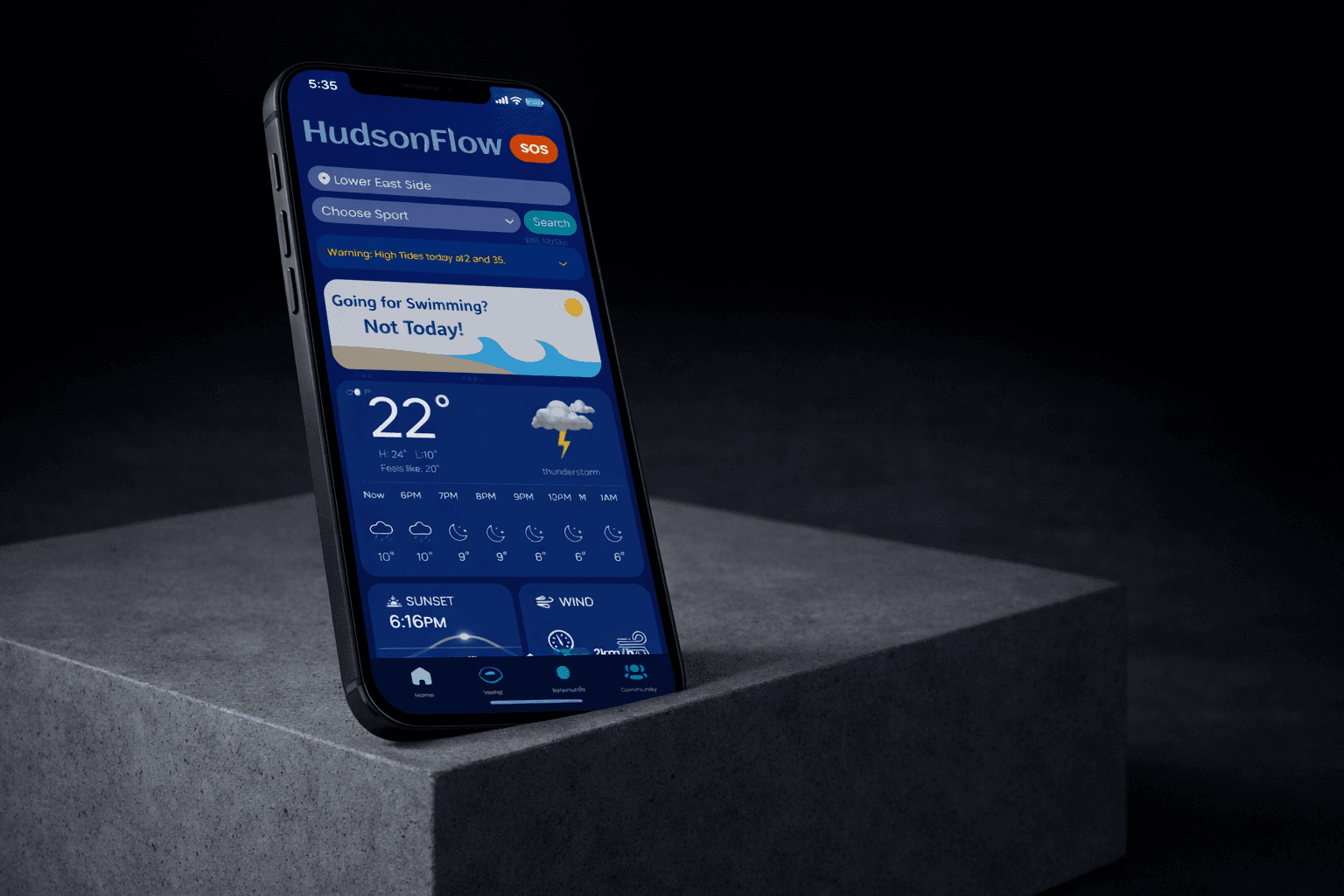
HudsonFlow is a water quality platform for Hudson River users, offering real-time updates, community insights, and intuitive tools for safe and informed recreation. This project highlights my user-centered design approach and focus on creating seamless, functional experiences.
Existing platforms are either too technical for the public or too simple for meaningful insight.
PROBLEM
Users found existing platforms either too technical to navigate or too shallow to be useful, exposing a major gap in how water quality data is communicated. This revealed a strong need for a trustworthy, easy-to-use platform delivering real-time, reliable insights for everyday river users.
2
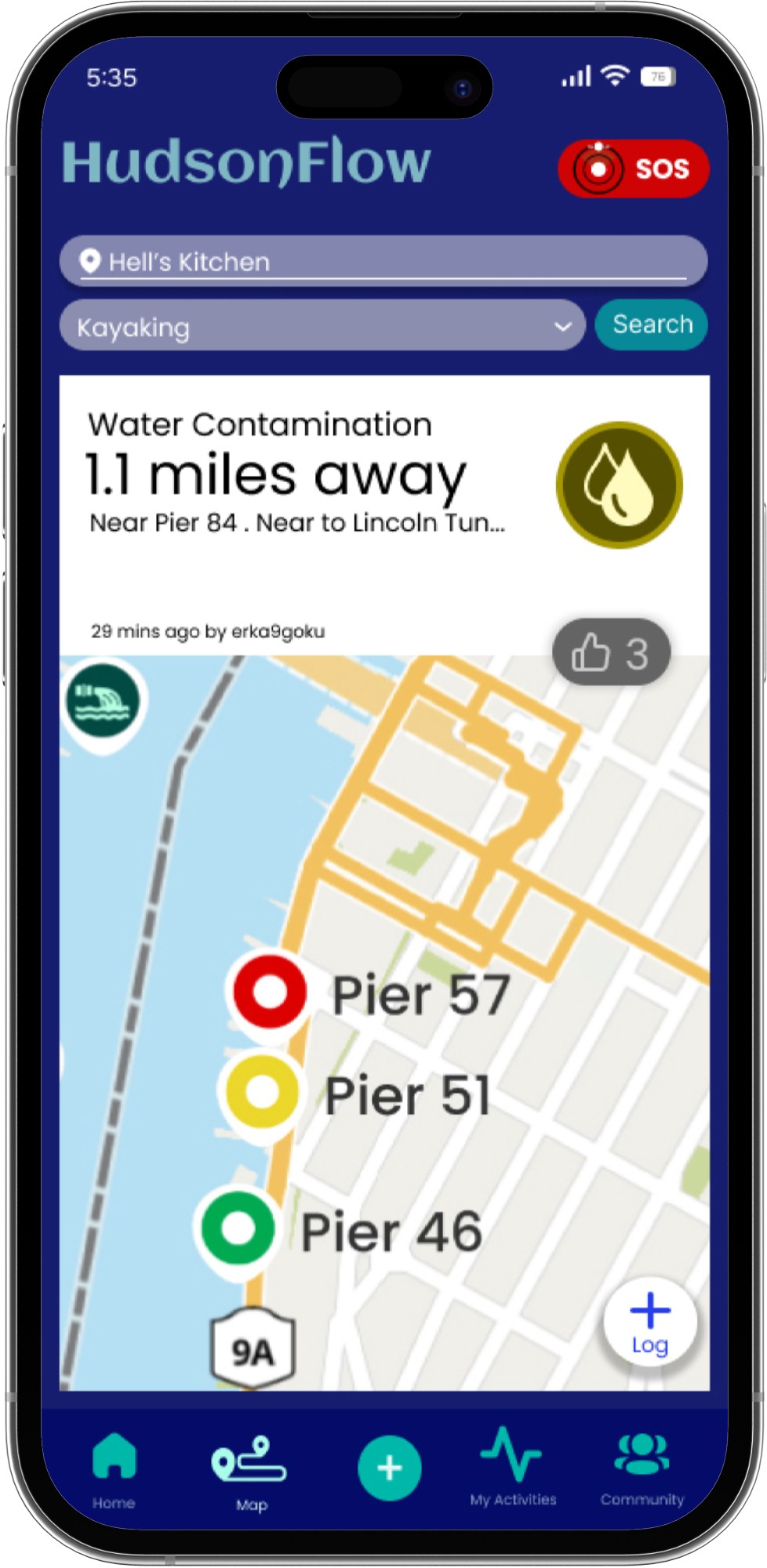
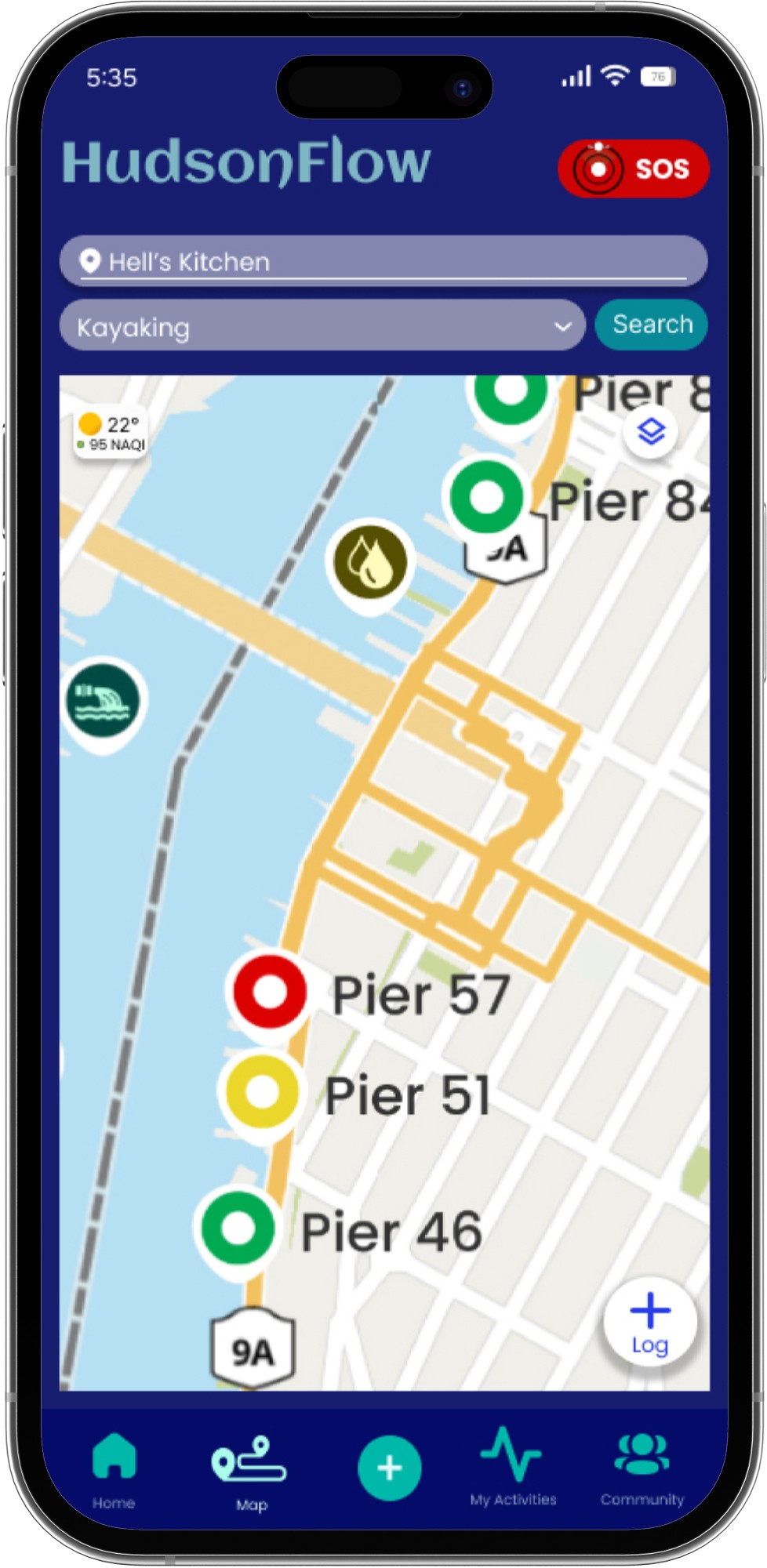
Visual, Location-Based Alerts
Instantly communicates water safety conditions.
Enables quick, confident decision-making.
Increases trust through transparent, color-coded visuals.
1
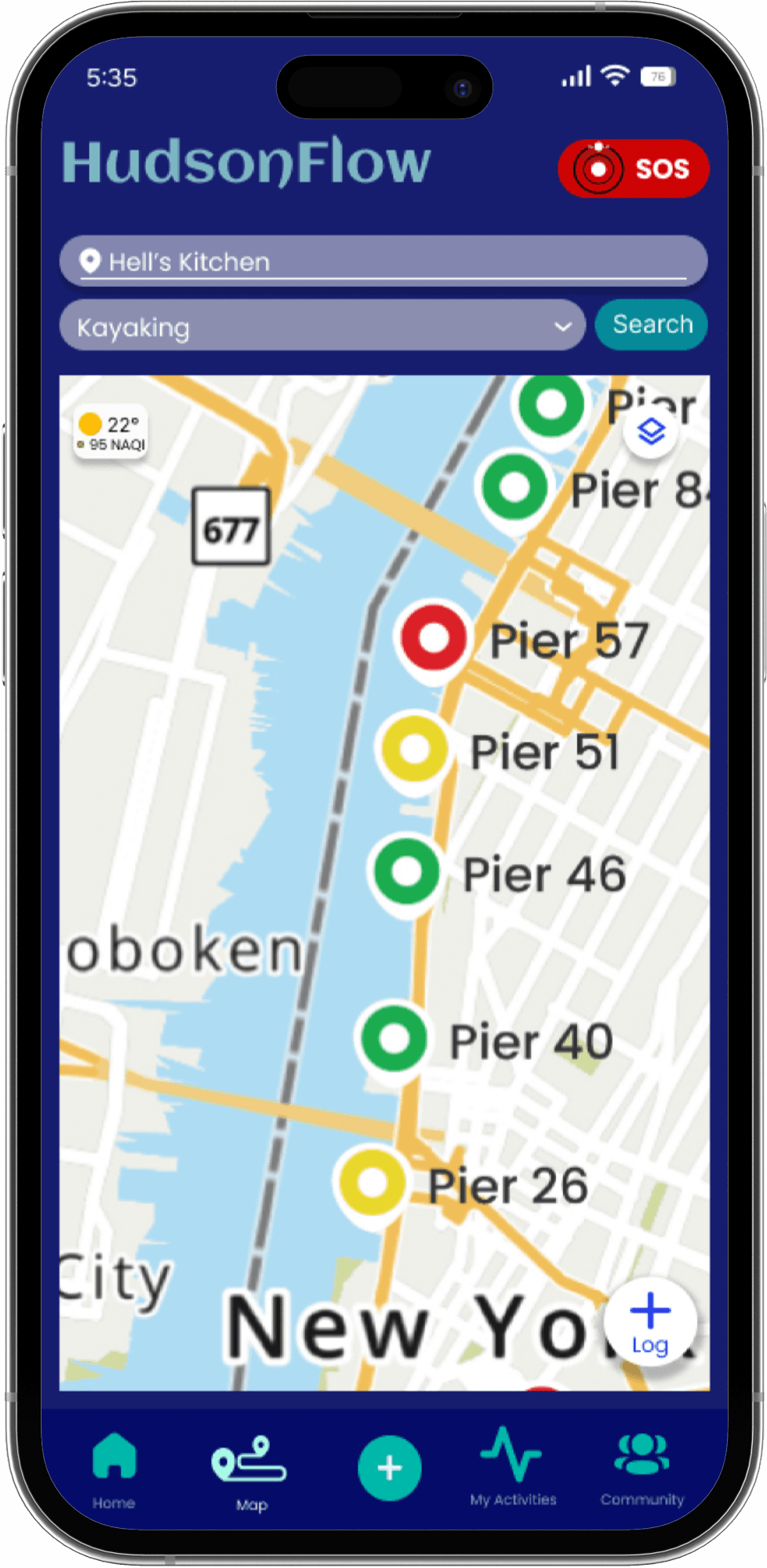
Personalized Dashboards
Focuses user attention on relevant data only.
Reduces information overload.
Builds engagement through customization and control.
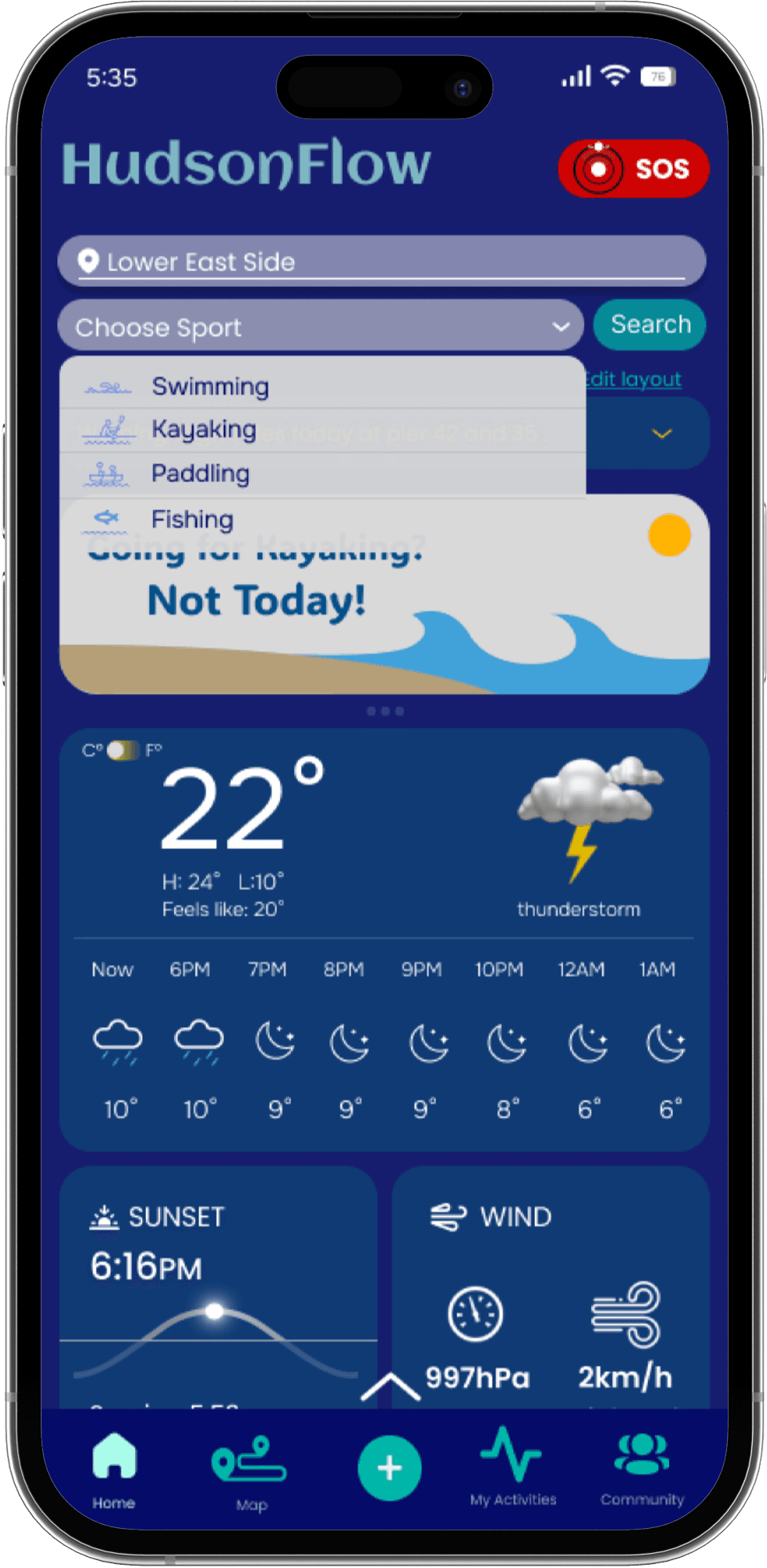
Simplifying complex data, real-time updates built user trust
SOLUTION
WHITE PAPER RESEARCH
Reviewed academic studies and environmental data frameworks to understand how technology, real-time monitoring, and interactive design improve public access to water quality information. As found in Water quality monitoring, Usability evaluation of a real-time water quality monitoring mobile application and Water quality monitoring strategies:
“Environmental platforms prioritize data accuracy over usability, revealing a critical gap for real-time, visual, and trust-driven communication for everyday users....”
Most existing systems focus on data accuracy over usability...
COMPETITIVE ANALYSIS
Analyzed existing water quality platforms to evaluate how effectively they balance real-time data accuracy, usability, and public trust for recreational users.
Most platforms force users to choose between data depth and usability.
USER INTERVIEWS
Although existing platforms provide water quality information, interviews revealed that users often felt uncertain about accuracy, relevance, and timing.
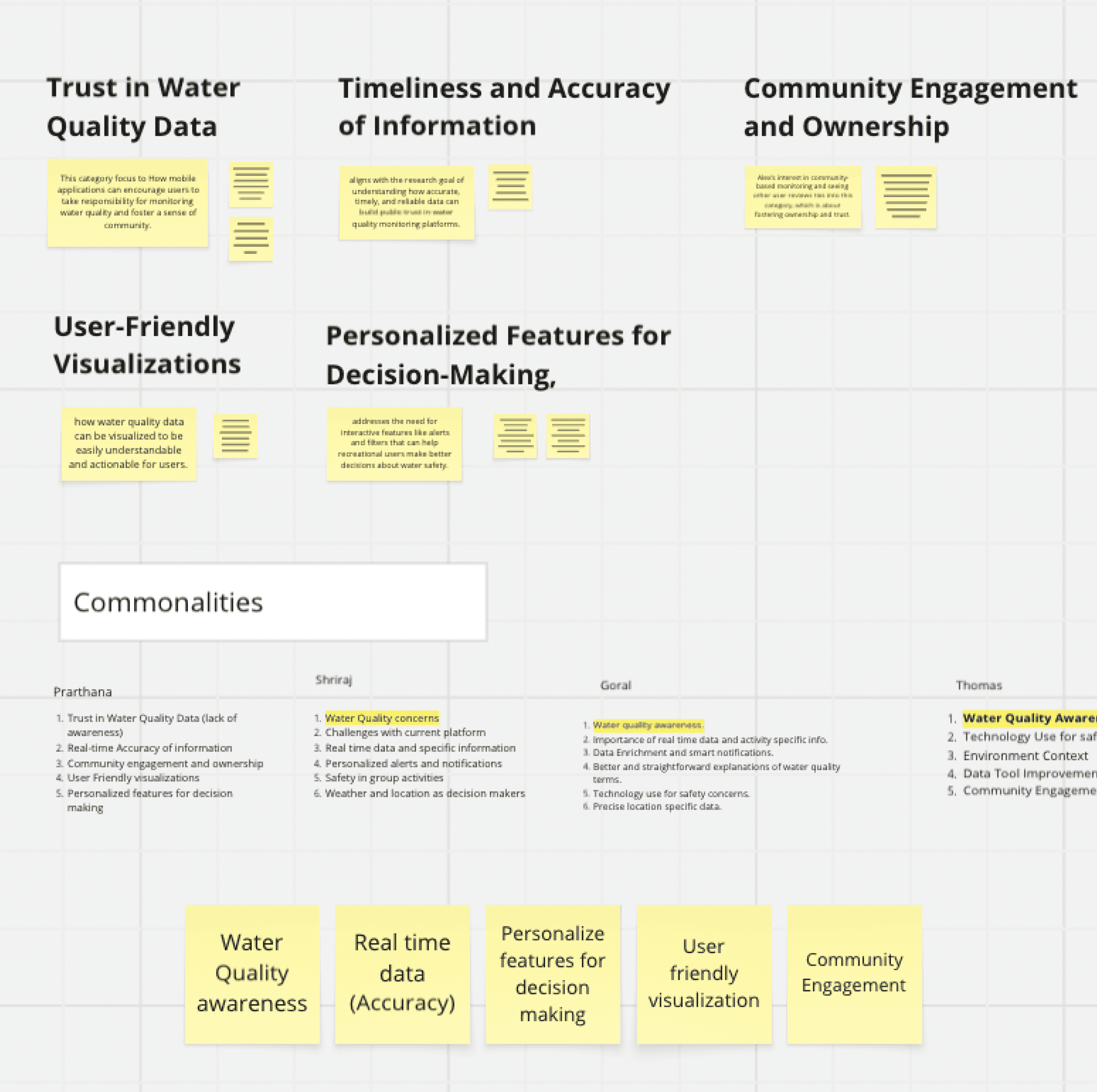
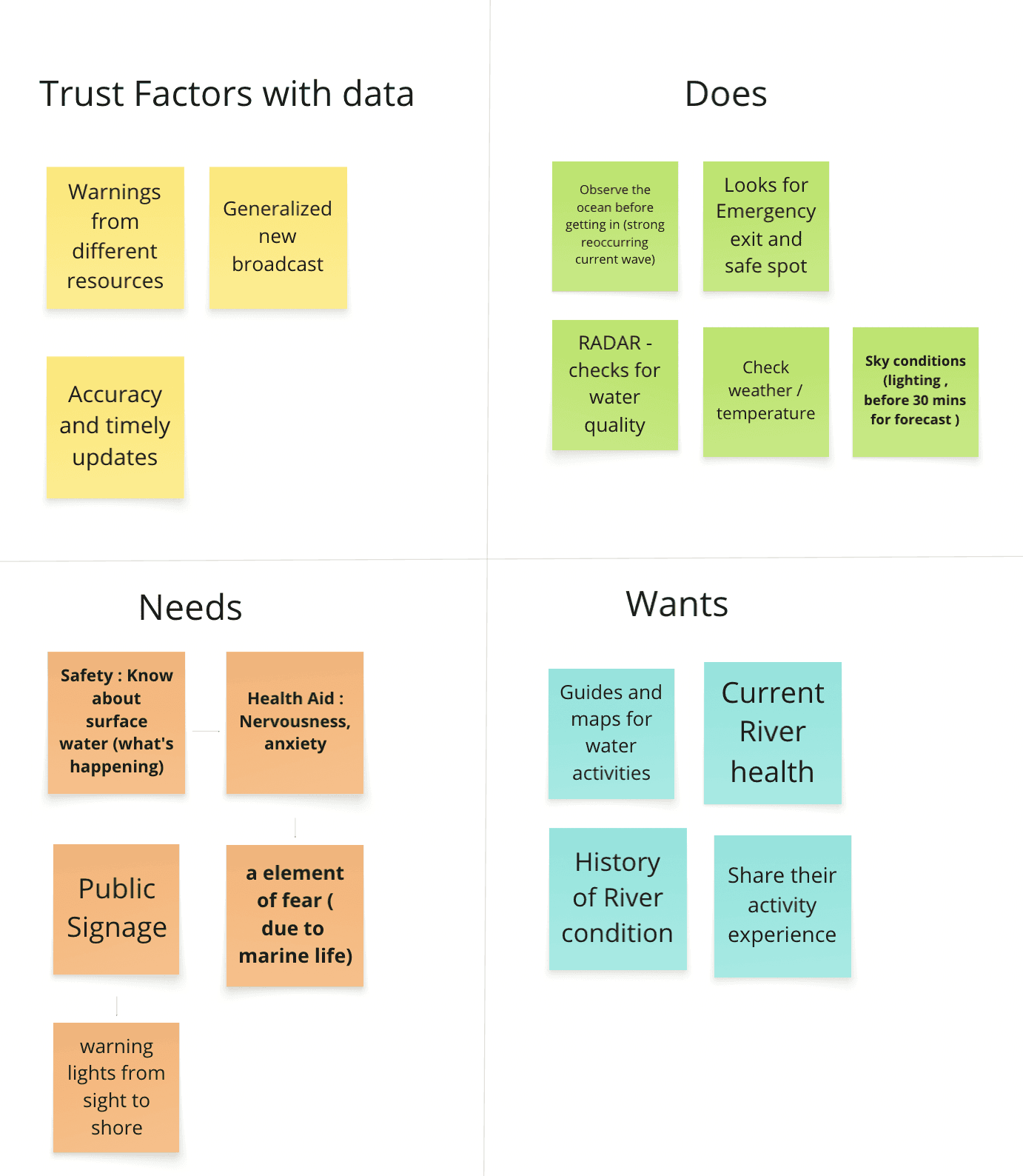
We conducted 5 in-depth interviews with recreational water users and local residents to understand how they currently assess water safety, what information they rely on, and why existing tools fail to support confident decision-making. Insights were synthesized through affinity mapping to identify recurring patterns and gaps.
RESEARCH QUESTIONS:
How do you currently check water quality before engaging in activities like swimming or paddling?
What information helps you decide whether it’s safe to enter the water — and what feels missing?
How much do you trust the water quality data you find, and why?
What challenges do you face when using existing water quality platforms?
What would make water quality information easier to understand and act on in real time?
Interviewees struggled to trust and act on water quality data without clarity and real-time context.
INSIGHTS
Based on patterns identified through user interviews and affinity mapping, we found that although data was available, users lacked clarity, trust, and real-time context. Without localized, visual, and actionable information, users either avoided the river altogether or relied on guesswork instead of data-driven decisions.
None of the existing water quality tools helped users confidently decide when it was safe to use the river.
Major Insights
Users hesitate to rely on water quality data when sources are unclear or unexplained.
Trust increased when data felt official, real-time, and verifiable.
Theme 1: Trust & Transparency
Raw metrics (e.g., bacteria levels) were hard to interpret without context.
Simpler representations helped users make faster safety decisions.
Theme 2: Clarity & Interpretation
Generalized water quality scores felt insufficient for activity-specific risk.
Users needed information tailored to what they were doing (swimming vs. kayaking vs. paddling).
Personalized views made data feel useful instead of overwhelming.
Theme 3: Relevance to Activity
Users valued tools that reflected current conditions, especially after rainfall or pollution events.
Outdated or delayed data caused users to lose confidence in platforms entirely.
Theme 4: Timing & Real-Time Awareness
RECREATIONAL RIVER USER PERSONA
Insights from 5 interviews were synthesized into one primary persona representing the core recreational river user.
Bio
Represents recreational users who engage with the Hudson River for activities like swimming, kayaking, and paddleboarding. While not daily users, safety and environmental conditions strongly influence their decisions. They often check multiple sources before going out but struggle to find information that is both trustworthy and easy to understand.
25-45 | Students and Working Professionals
Make safe, informed decisions before entering the water
Quickly understand current river conditions
Avoid health risks related to pollution or contamination
Goals
Water quality data feels technical or hard to interpret
Information is often outdated or inconsistent across platforms
Lack of transparency around data sources reduces trust
Frustrations
Platforms Used: Platforms Used: Riverkeeper, Swim Guide, local news, social media
Devices: Smartphone, smartwatch (occasionally), GoPro
Technology Use
Tech Saviness
DESIGN
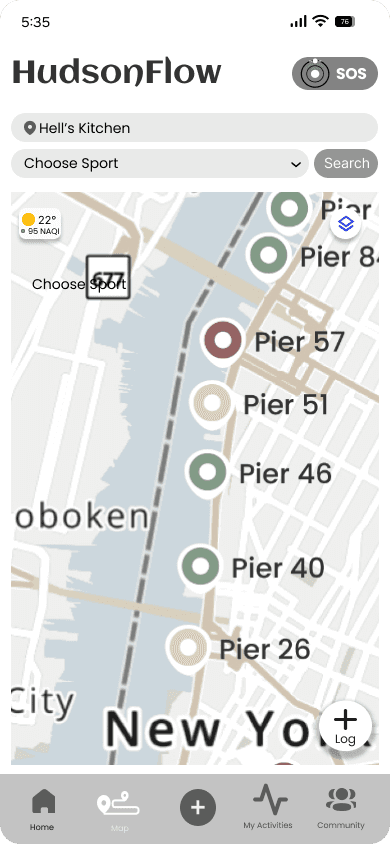
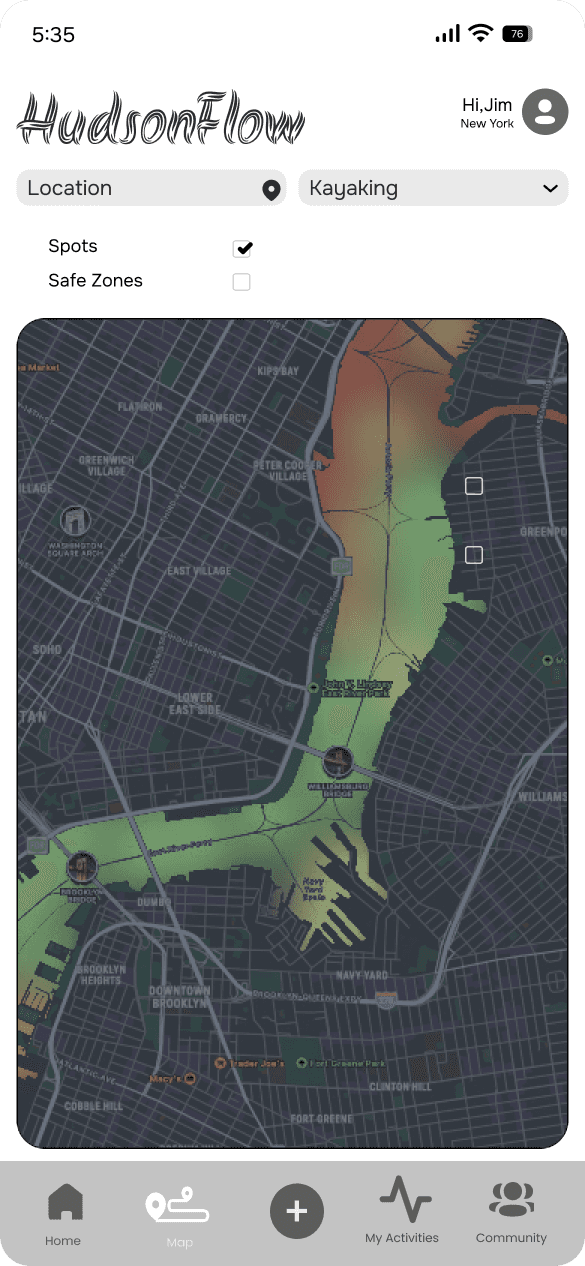
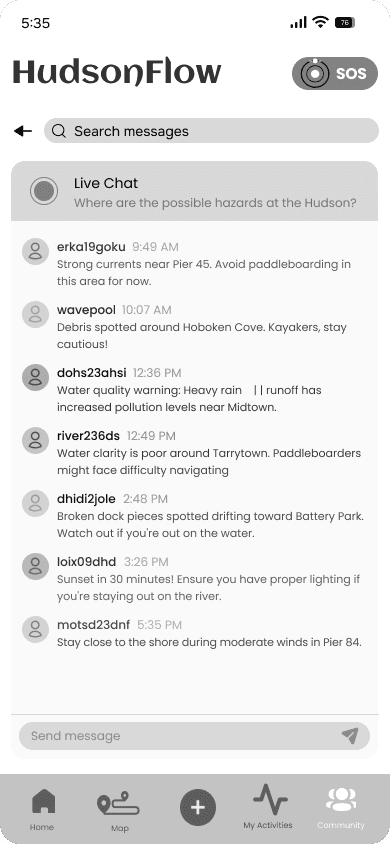
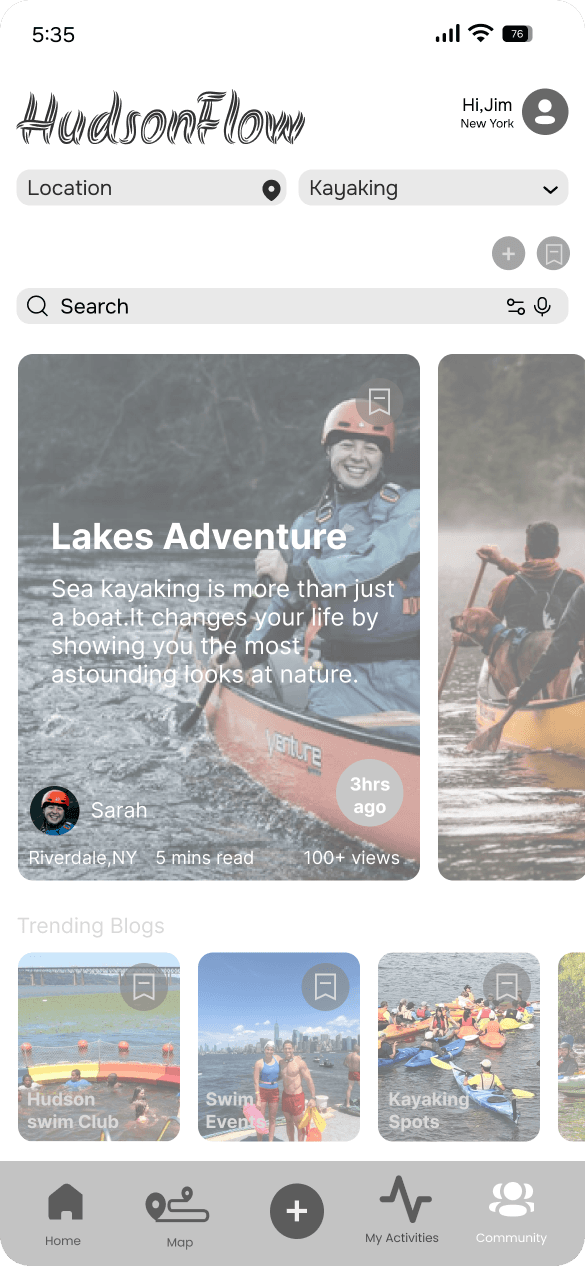
Early design exploration focused on understanding what information users needed at the moment of decision-making. Through wireframes, competitive references and component exploration, the design evolved toward an activity-first, map-supported experience that connects water quality data directly to user intent (swimming, kayaking, paddling).
Rather than redesigning the concept, iterations refined how information was structured, surfaced, and prioritized to reduce cognitive load and improve trust.
DESIGN ITERATIONS: From exploration to activity-driven clarity
TESTING + IMPROVEMENTS
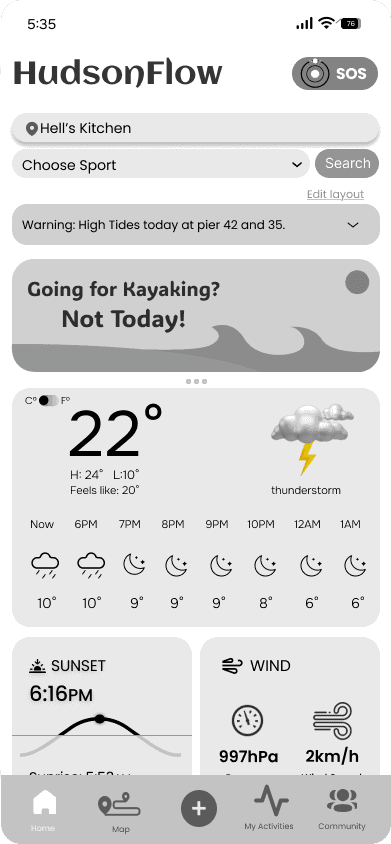
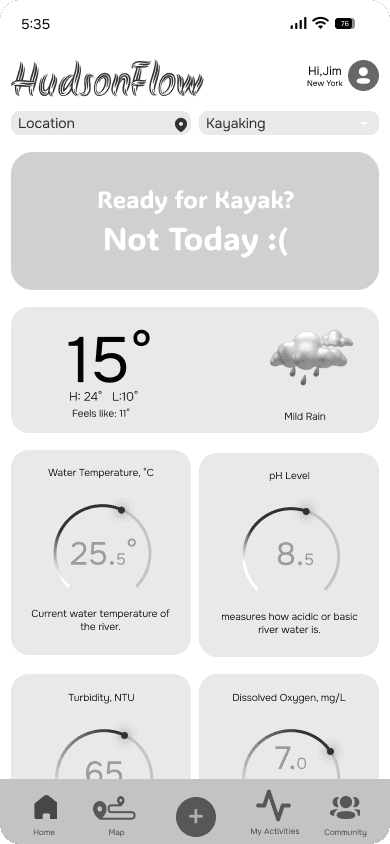
Based on feedback from peer critiques, mentor reviews, and scenario-based usability testing, the design was iterated over several weeks, resulting in three key improvements:
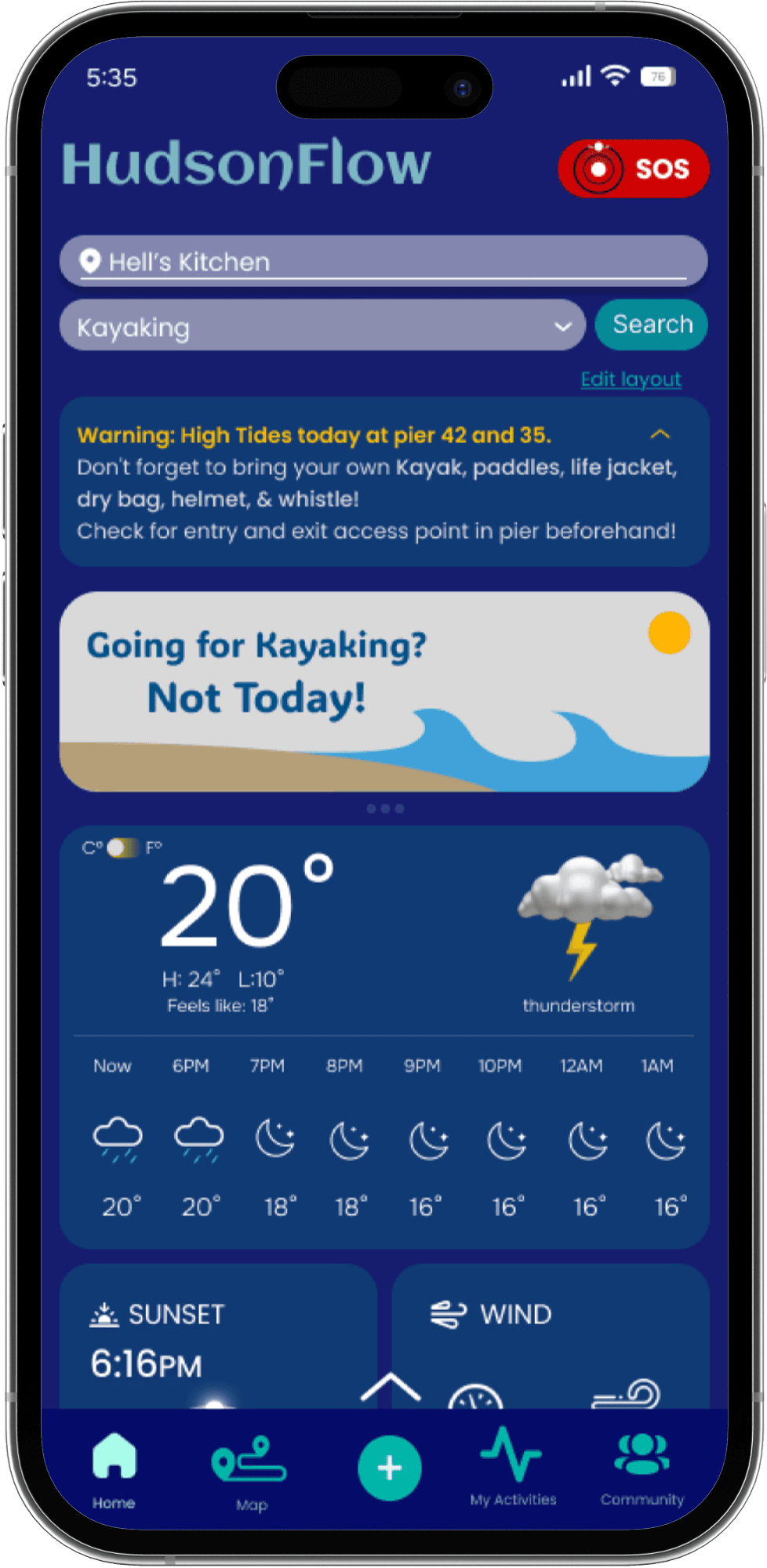
3 major improvements based on usability testing
Initial designs focused primarily on water quality metrics, limiting users’ ability to assess overall safety conditions.
Adding weather data, tide warnings, and SOS access provided critical context, helping users evaluate risk more holistically before deciding to go kayaking.
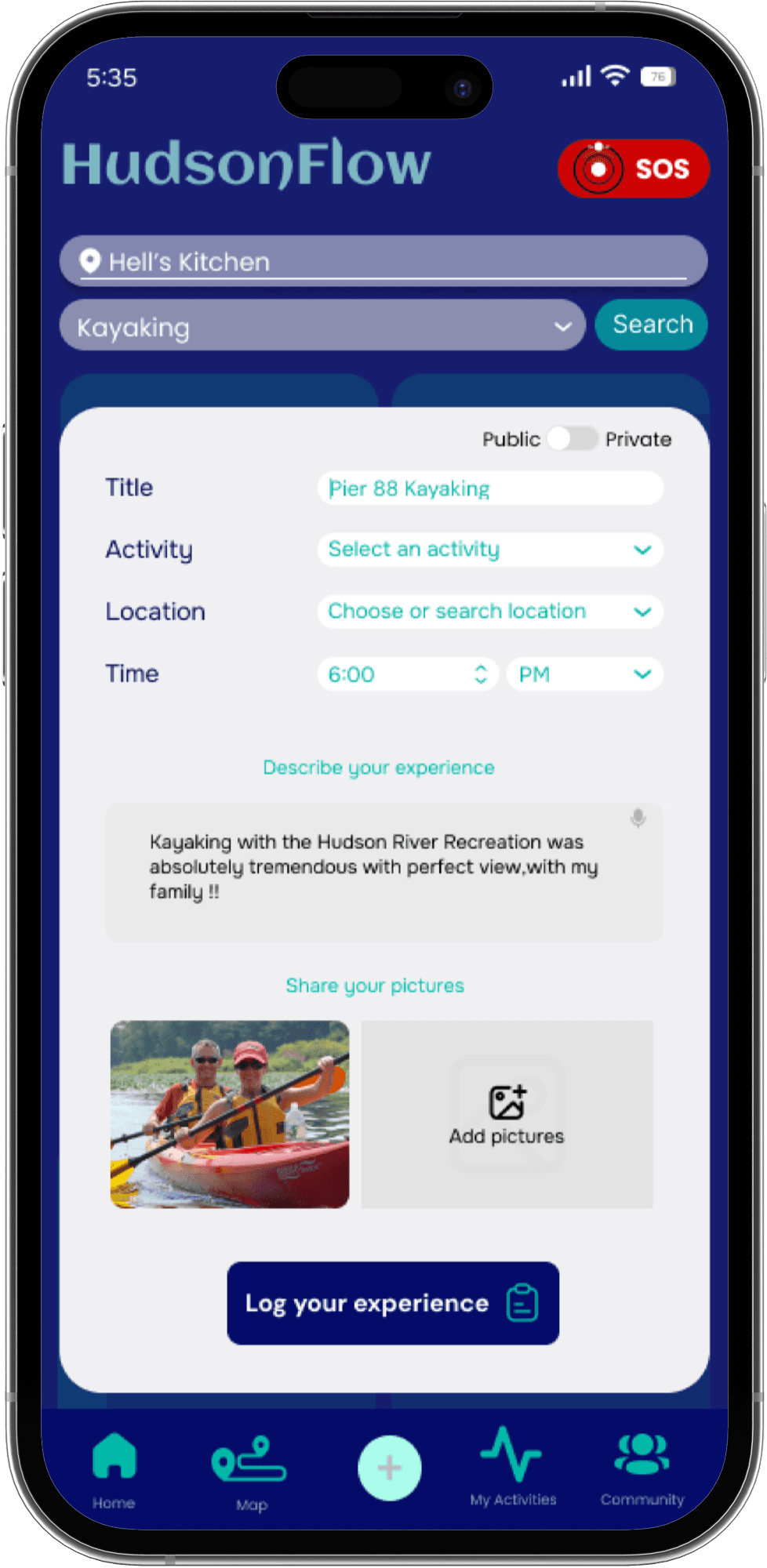
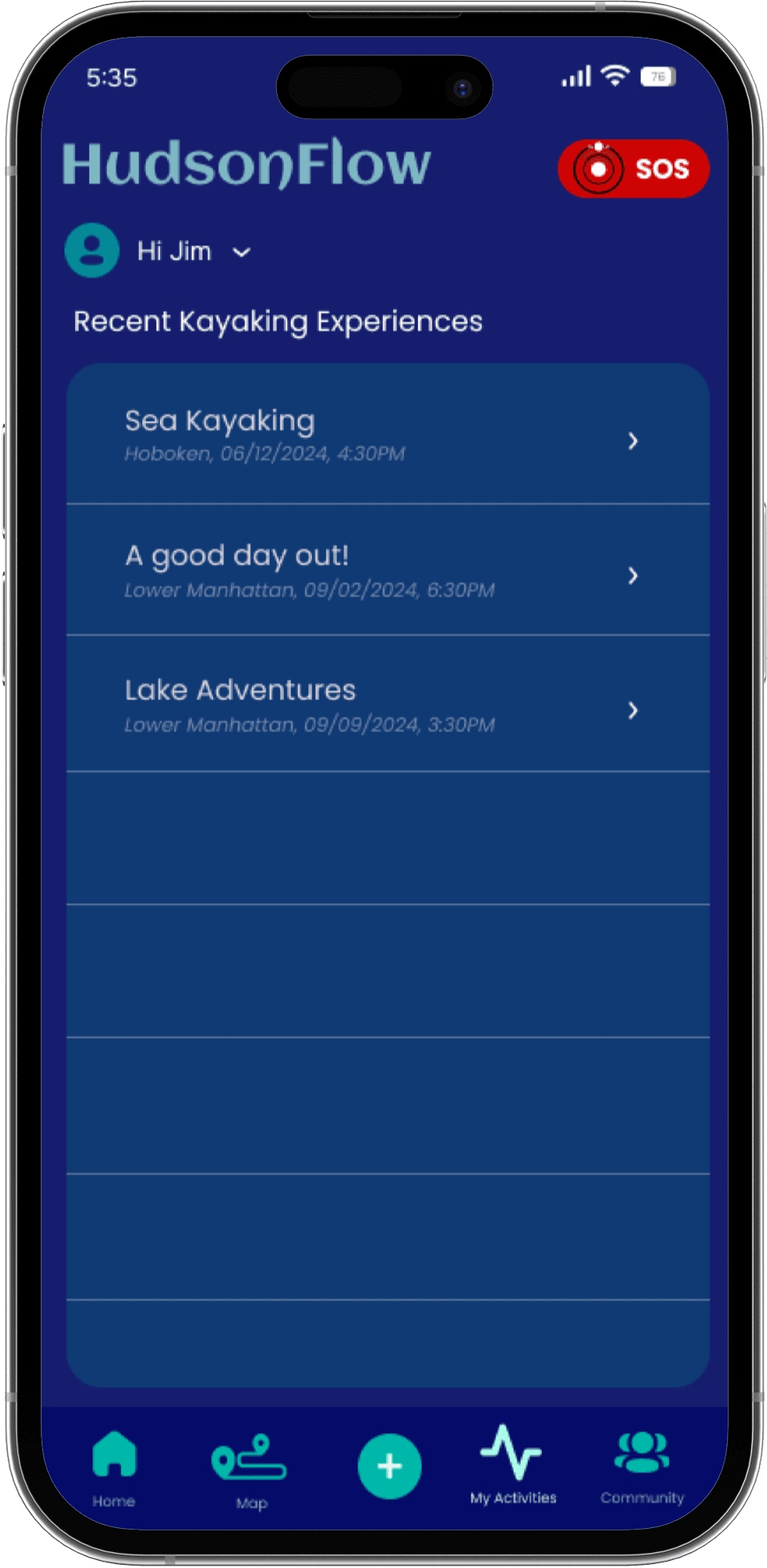
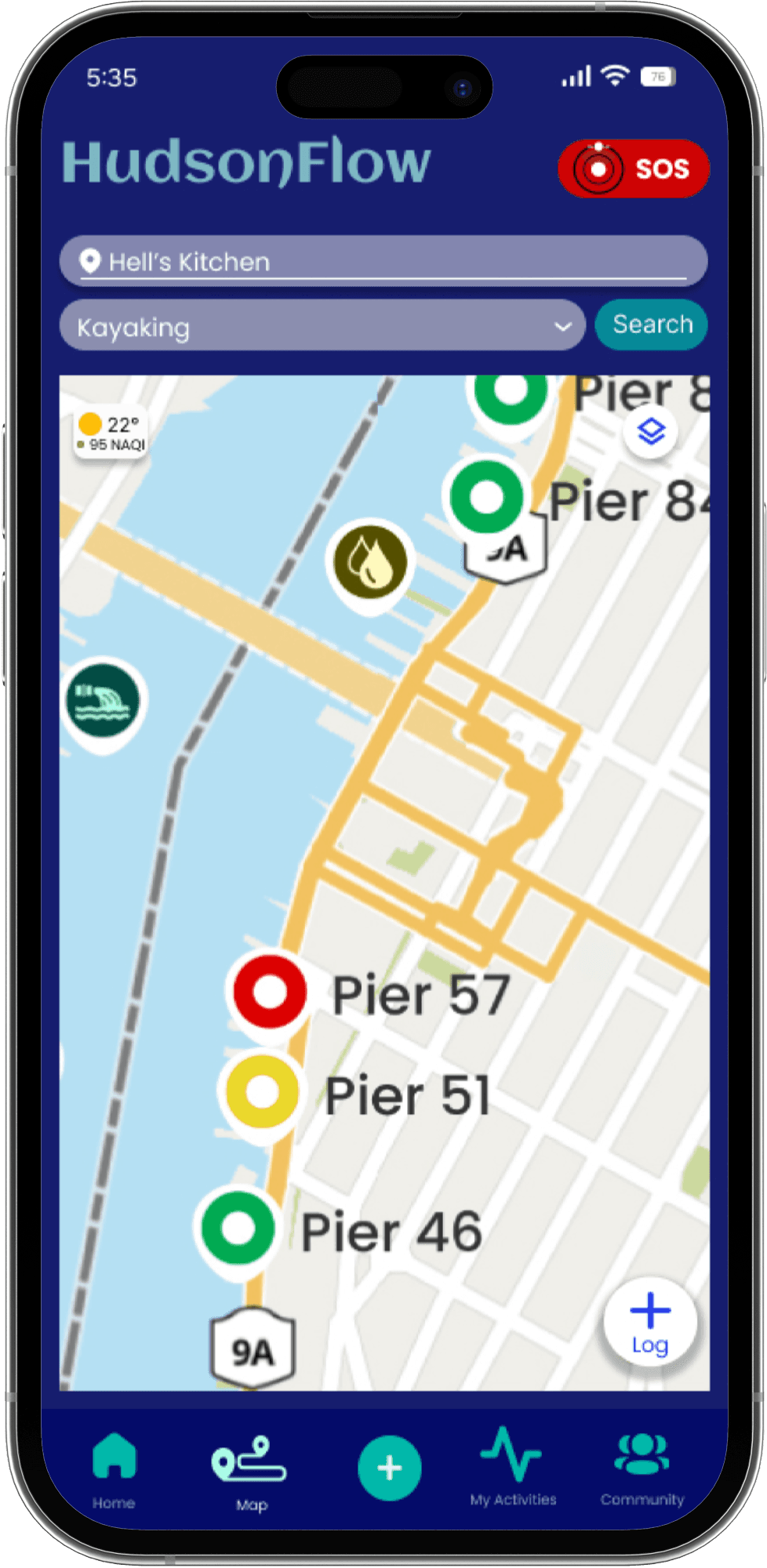
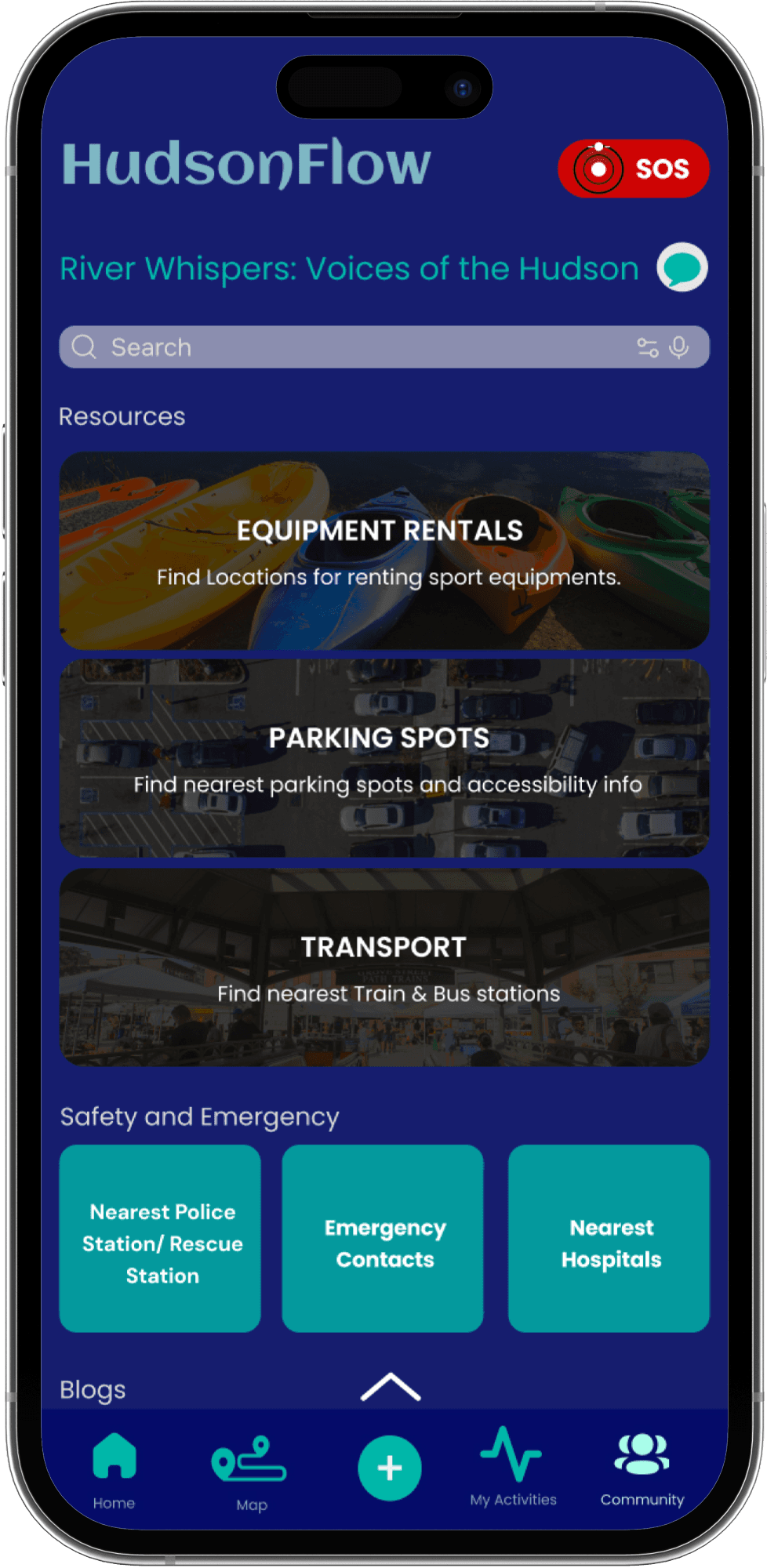
Field Study Insights & Expected Impact
In field testing, users achieved a 100% task success rate, indicating that clear, contextual presentation of safety data significantly improves decision-making and supports a projected 40% reduction in water-related risk (projected impact based on field study behavior and supporting literature).
Improving usability directly increased users’ ability to assess water safety.
Link to Figma File Here
Conclusion + Lessons Learned
Working on HudsonFlow taught me that effective safety-focused design comes from continuous learning, not first-pass perfection.
1. Iterate as much as possible, earlier in the process. Many of the most effective design decisions emerged only after multiple rounds of prototyping and feedback. In future projects, I would move faster through early concepts to surface usability and clarity issues sooner.
2. Design for real decision-making, not just information delivery. Testing revealed that users were less focused on raw water quality data and more on understanding whether conditions were safe for their specific activity. This shifted my focus toward contextual framing and clearer guidance.
3. Prioritize clarity over completeness. Early designs attempted to surface too many metrics at once. Iteration showed that simplifying and prioritizing key signals supported quicker, more confident user decisions.
4. Build trust intentionally through transparency. Visible data sources, safety warnings, and community-driven updates played a key role in user confidence. This project emphasized the importance of trust as a core UX outcome, not an afterthought.
Overall, this project strengthened my ability to iterate, synthesize feedback, and design interfaces that support real-world decisions under uncertainty.
What I’d do differently next time.